Spotufi: A Native Android Client for Your Real Spotify Account, Playing Spotify's Own Stream
🇬🇧 A technical look at Spotufi: an open-source Android music client that runs the Spotify Web Player in a headless Chromium WebView, with offline FLAC downloads, synced lyrics, transcripts, scrobbling and 13 languages.
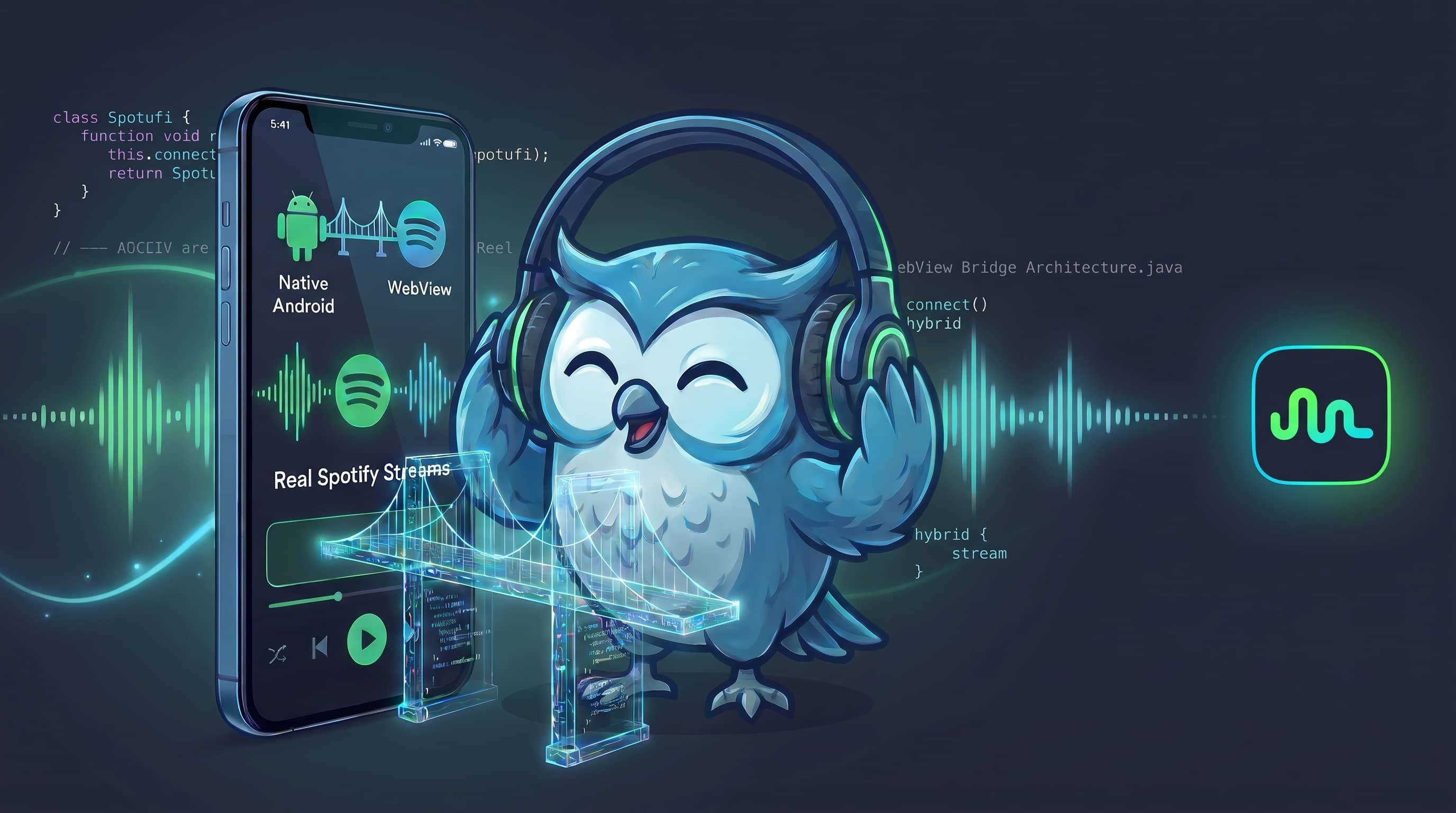
Most unofficial Spotify clients solve playback the same way: look the song up on Spotify, then play a “matching” track from somewhere else. The result is a Spotify-shaped interface on top of a different audio source, with the usual problems of wrong versions, live recordings and missing tracks.
Spotufi takes the opposite route. It signs in with a real Spotify account, runs the official Spotify Web Player inside an invisible Chromium WebView, and plays the stream that Spotify serves and decrypts through Widevine on the device. Everything around that engine (library, search, queue, lyrics, downloads, scrobbling, Android Auto) is native Kotlin and Jetpack Compose. | 🇹🇷 Türkçe
📦 Download: GitLab Releases | Obtainium | 💻 Repo: gitlab.com/fr0stb1rd/spotufi
| Now Playing | Synced Lyrics | Home |
|---|---|---|
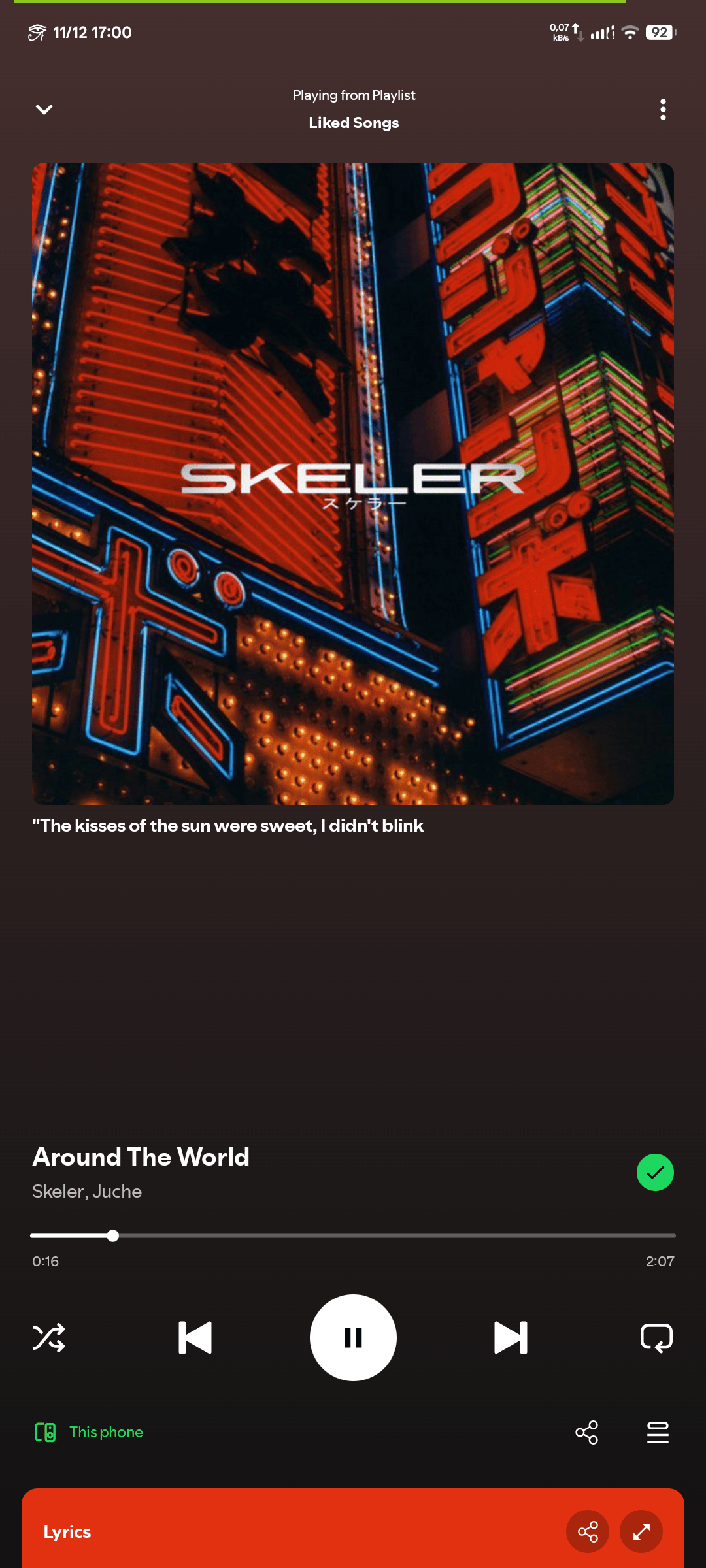 |
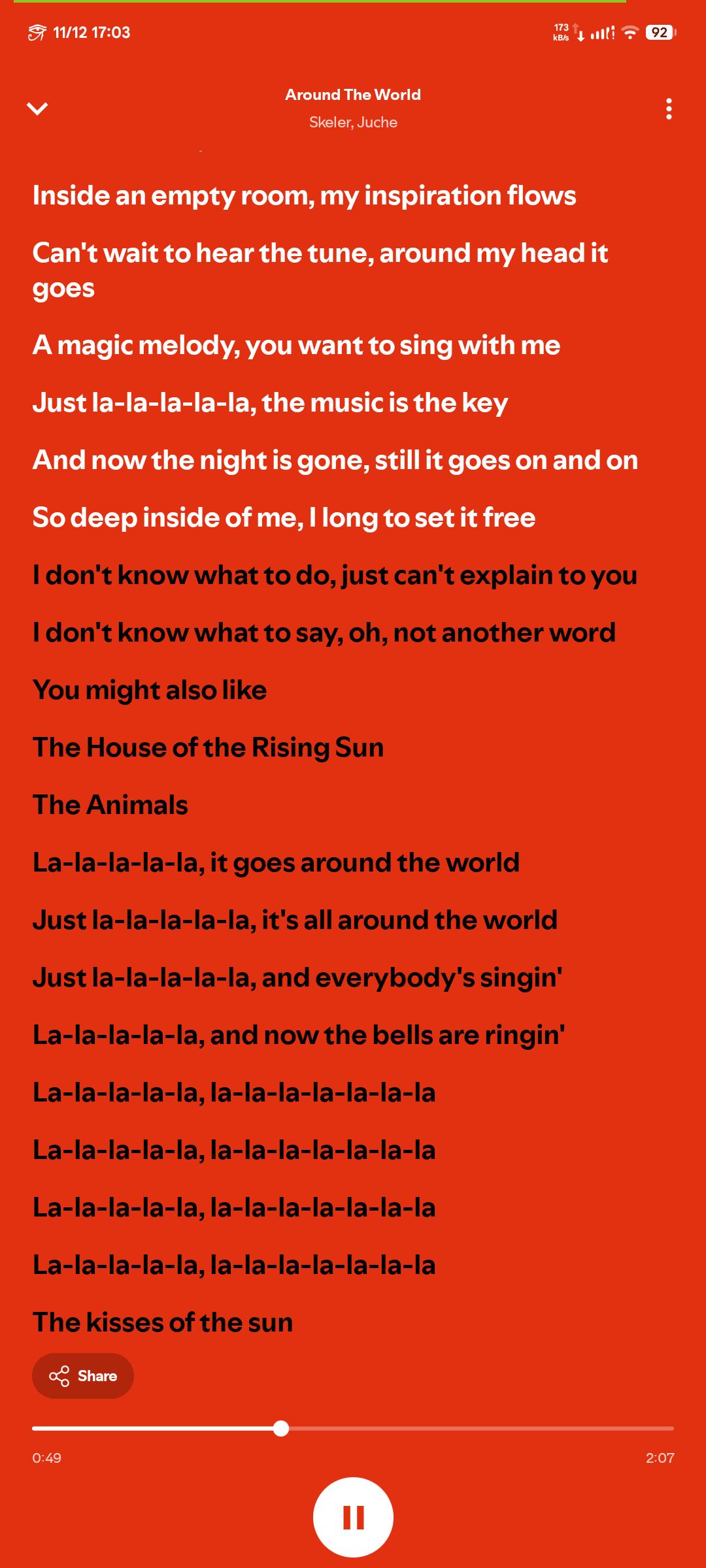 |
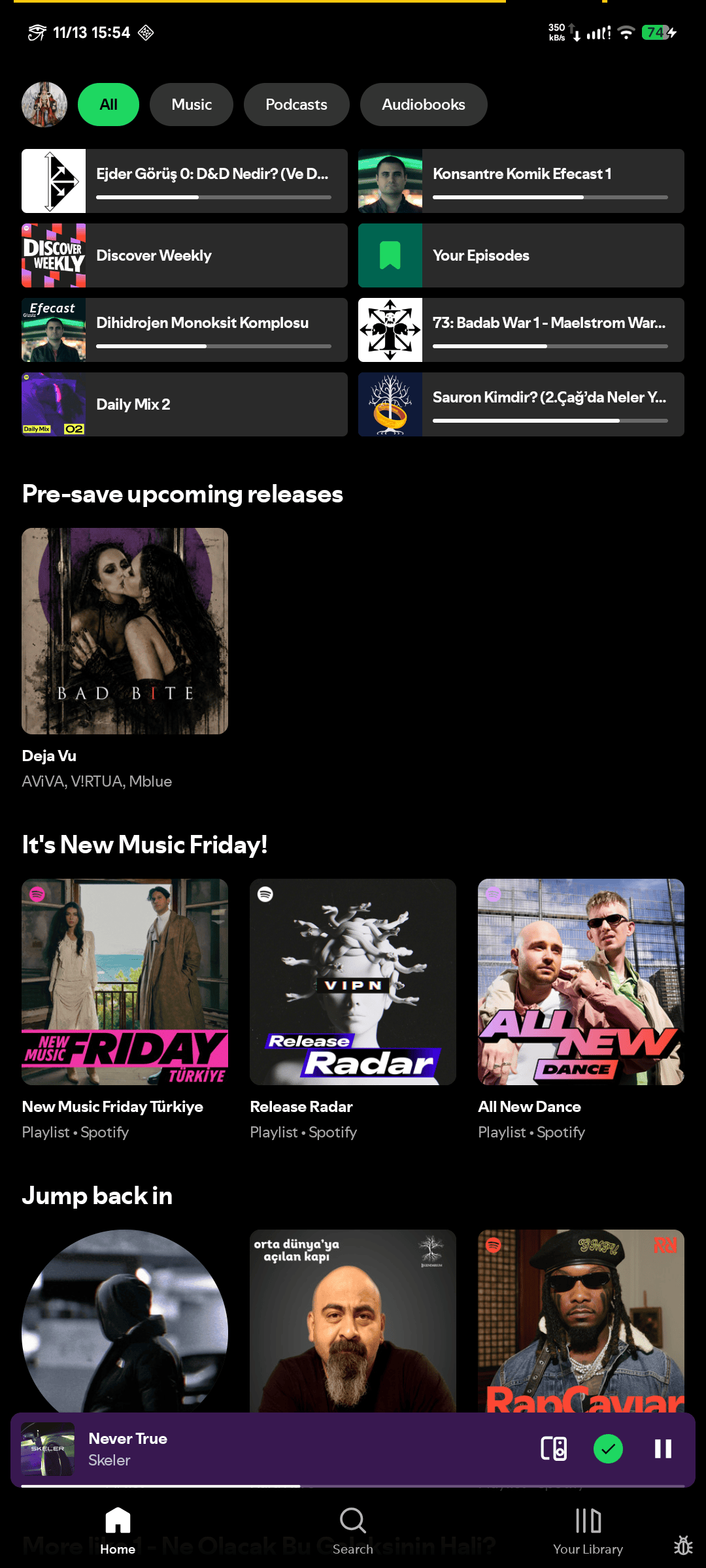 |
🎧 What Is Spotufi?
Spotufi is a multi-source Android music player whose default and normal source is Spotify itself. It supports Free and Premium accounts, plays playlists, albums, artists, radios, podcasts and audiobooks, and adds features on top: offline lossless downloads, crossfade, scrobbling, word-synced transcripts and a local listening recap.
| Property | Value |
|---|---|
| Package | io.github.sekademi.spotufi |
| Platform | Android 10 (API 29) or newer |
| Language / UI | Kotlin 2.4, Jetpack Compose, Material 3 |
| Architecture | MVVM, manual DI, 5 Gradle modules |
| Playback engine | Spotify Web Player in a headless Chromium WebView (Widevine) |
| System integration | Media3 MediaLibraryService (notification, lock screen, headset, Android Auto) |
| Languages | 13 |
| License | GPL-3.0-or-later |
🔊 What Actually Plays
A common assumption is that an app like this resolves a song on Spotify and streams a YouTube match. Spotufi has four distinct audio paths, and only one of them is the default:
| Path | When it is used | Where the audio comes from |
|---|---|---|
| Spotify Web Player (default) | Every normal play: playlists, albums, artists, radios, podcasts, audiobooks | Spotify’s own CDN, decrypted by the device’s Widevine module. Same recording as the official app. |
| BitChord / NewPipe fallback | Only when Spotify refuses: a 402 licence/country restriction on the account, or a device without usable Widevine |
A matched track from another source, so playback does not stop. A rescue path, not the engine. |
| Lossless FLAC | Only for downloads the user requests | SpotiFLAC resolves the same recording from TIDAL / Qobuz / Amazon and verifies it by ISRC (or title + artist within 3 s). |
| Local files | Audio files on the device | Device storage, played through Media3 ExoPlayer. |
flowchart TD
    A["Play request"] --> B{"Source?"}
    B -->|"Local file or download"| C["ExoPlayer (LocalPlayer)"]
    B -->|"Spotify item"| D{"Widevine usable and no 402 refusal?"}
    D -->|"Yes"| E["Web Player in headless WebView"]
    D -->|"No"| F["BitChord + NewPipeExtractor fallback"]
    E --> G["Media3 session: notification, lock screen, Android Auto"]
    F --> G
    C --> G
Streaming quality follows the Web Player’s own levels: Auto, Low, Normal, High. There is no artificial “320 kbps” switch; the engine plays what Spotify serves. Lossless audio belongs to the download path, not the stream.
🏗️ Architecture
Spotufi is MVVM over Jetpack Compose, split so that the UI never depends on the playback host. All Android modules live under base/.
| Module | Type | Purpose |
|---|---|---|
:app |
Android app (compileSdk 37, minSdk 29) | UI, navigation, ViewModels, DI, downloads, lyrics, scrobbling |
:api |
Pure JVM library (Java 21) | Interfaces and data models between the UI and the engine. No Android, no Spotify details |
:api-spotify |
JVM library (Java 21) | SpotifyApi: the implementation of :api, GraphQL client and the bridge protocol |
:host-android |
Android library | WebView host (WebPlayerHost), PlaybackService, network stack |
:host-cdp |
Pure JVM library | Desktop Chrome host over the DevTools Protocol, for automated live tests |
flowchart TB
    subgraph APP[":app"]
        UI["Compose screens + ViewModels"]
        SP["SongPlayer facade"]
        UI --> SP
    end
    API[":api (contract)"]
    SPOT[":api-spotify (SpotifyApi + Bridge)"]
    BH["BridgeHost interface"]
    HA[":host-android (WebView + PlaybackService)"]
    HC[":host-cdp (desktop Chrome, tests)"]
    WP["open.spotify.com Web Player + player-bridge.js"]
    SP --> API
    SPOT -. implements .-> API
    SPOT --> BH
    HA -. implements .-> BH
    HC -. implements .-> BH
    HA --> WP
    HC --> WP
The :app module talks to playback only through :api. :host-android and :host-cdp are two implementations of the same host contract, which is why the same bridge script, and the same API layer above it, can run against a real phone or against desktop Chrome in CI-style live tests.
Dependency wiring is manual: a single Graph object, no annotation-processing framework.
The Player Bridge
The core trick is a small script, player-bridge.js, injected into the official Web Player page. It does not patch the page. It walks React’s context tree to find the page’s own service registry, then calls the services the page already uses (PlayerAPI, PlaybackAPI, LibraryAPI, TokenProvider).
| Direction | Android | Desktop (CDP) |
|---|---|---|
| Host → page | evaluateJavascript("Myspoti.call(id, method, args)") |
Runtime.evaluate, same call |
| Page → host | MyspotiHost.postMessage(json) (web message listener, restricted to open.spotify.com) |
Runtime.addBinding("__mspHostPost") |
Messages from the page are one JSON string each: ready, state, queue, result (with a call id) and error. The player state carries the track, context URI, pause/buffering flags, positionMs plus the timestamp it was sampled at (the host extrapolates the position while playing), duration, shuffle, repeat mode (off / context / track), speed, restrictions and a playbackId.
Some design details that matter in practice:
- Request/response over a message channel. Each command gets an incrementing id and a
CompletableDeferred. Android’sevaluateJavascriptdoes not wait for Promises, so results always arrive asresultmessages. - Backpressure by design. Event flows use
DROP_OLDEST. During a main-thread stall the newest state is the only one that matters; the defaultSUSPENDpolicy would drop exactly that value. - Hostile input tolerance. The collector that handles page messages runs on the main thread, where an uncaught exception kills the app, so every message is handled inside
runCatchingand malformed ones are logged and dropped. - Restrictions are respected. Commands can be refused by the page’s
restrictions(for example while the next track loads), and the error says so.
From Tap to Sound
sequenceDiagram
    participant U as User
    participant UI as Compose UI
    participant API as MyspotiApi.player
    participant B as Bridge (Kotlin)
    participant JS as player-bridge.js
    participant WP as Web Player services
    participant S as Spotify CDN and licence server
    U->>UI: Tap a track
    UI->>API: play(contextUri, trackUri)
    API->>B: call(id, player.play, args)
    B->>JS: evaluateJavascript Myspoti.call
    JS->>WP: PlayerAPI / PlaybackAPI
    WP->>S: Audio request + Widevine licence
    S-->>WP: Encrypted stream
    WP-->>JS: State change
    JS-->>B: postMessage (state JSON)
    B-->>API: StateFlow update
    API-->>UI: Recomposition
Spotify keeps ownership of the session. Next, previous, shuffle, repeat and the queue are Spotify’s own, so playback stays in sync with the account and with other devices. If another Connect device takes over playback, Spotufi pulls it back. A Media3 PlaybackService / MediaLibraryService mirrors that session to the notification, lock screen, headset buttons and Android Auto.
Reads vs. Writes
The :api-spotify layer splits traffic by purpose:
- Reads (search, catalog, home, library lists, lyrics, user data) go straight to Spotify over HTTP using the page’s web token plus a client token minted by the app. The GraphQL surface is large:
SpotifyApi.rawcan reach all 179 GraphQL operations from the current Web Player build, and 89 page services for anything that is not typed yet. Operation hashes live ingql-ops.jsonand are refreshed by a tool that reads the public bundles. - Writes and playback (play, queue edits, library saves, folders, Connect, Jam) go through the page’s own services via the bridge.
The docs/api/ folder in the repository documents the captured session flow, GraphQL variables and capability coverage (44 operations documented, 58 with known variables, out of 179 at the time of the last report).
✨ Features
▶️ Playback
- Real Spotify account, real Spotify stream (Free or Premium)
- Playlists, albums, artists, radios, podcasts, shows, audiobooks
- Spotify Connect awareness: playback taken by another device is pulled back
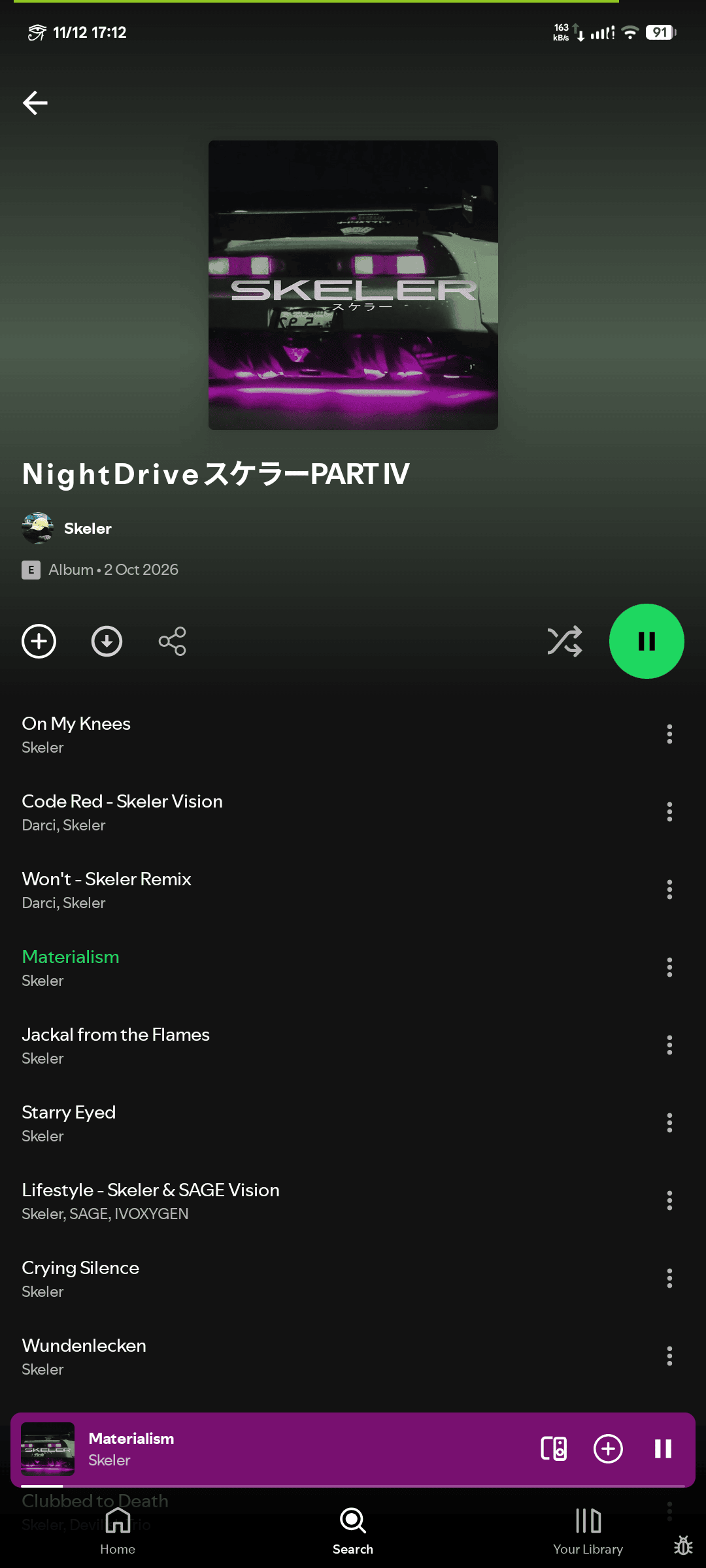
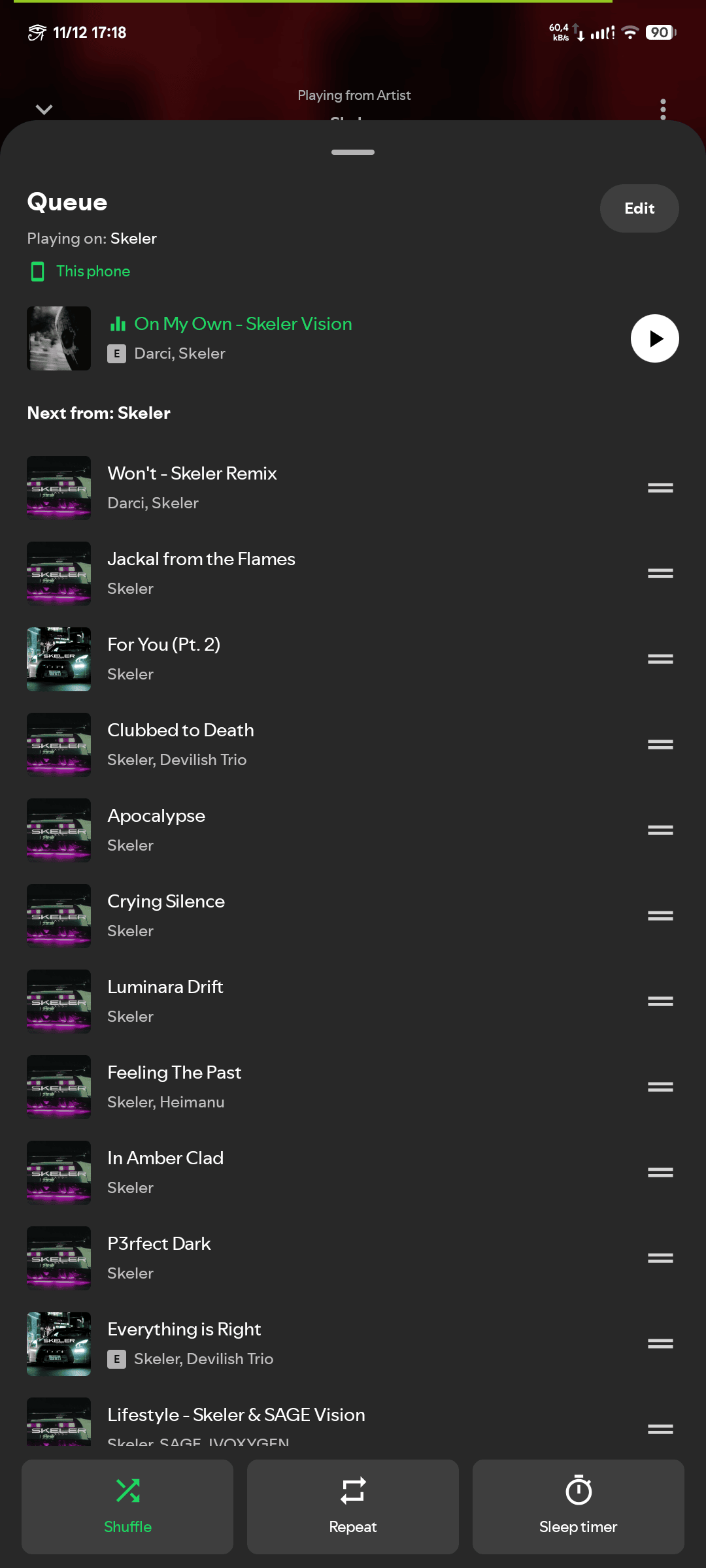
- Queue with drag-to-reorder, play next, insert-before; Spotify’s own shuffle and repeat
- Session restore: queue, track and position survive a restart
- Sleep timer, autoplay/radio with real Spotify recommendations
- Crossfade 0 to 12 s (a fade, not an overlap)
- Mini player with album-art dynamic colors and a draggable seek bar
- Slide-to-dismiss player gesture (music and podcast player)
- Jam: start a session and share the invite link, or join with a QR scan or a pasted link
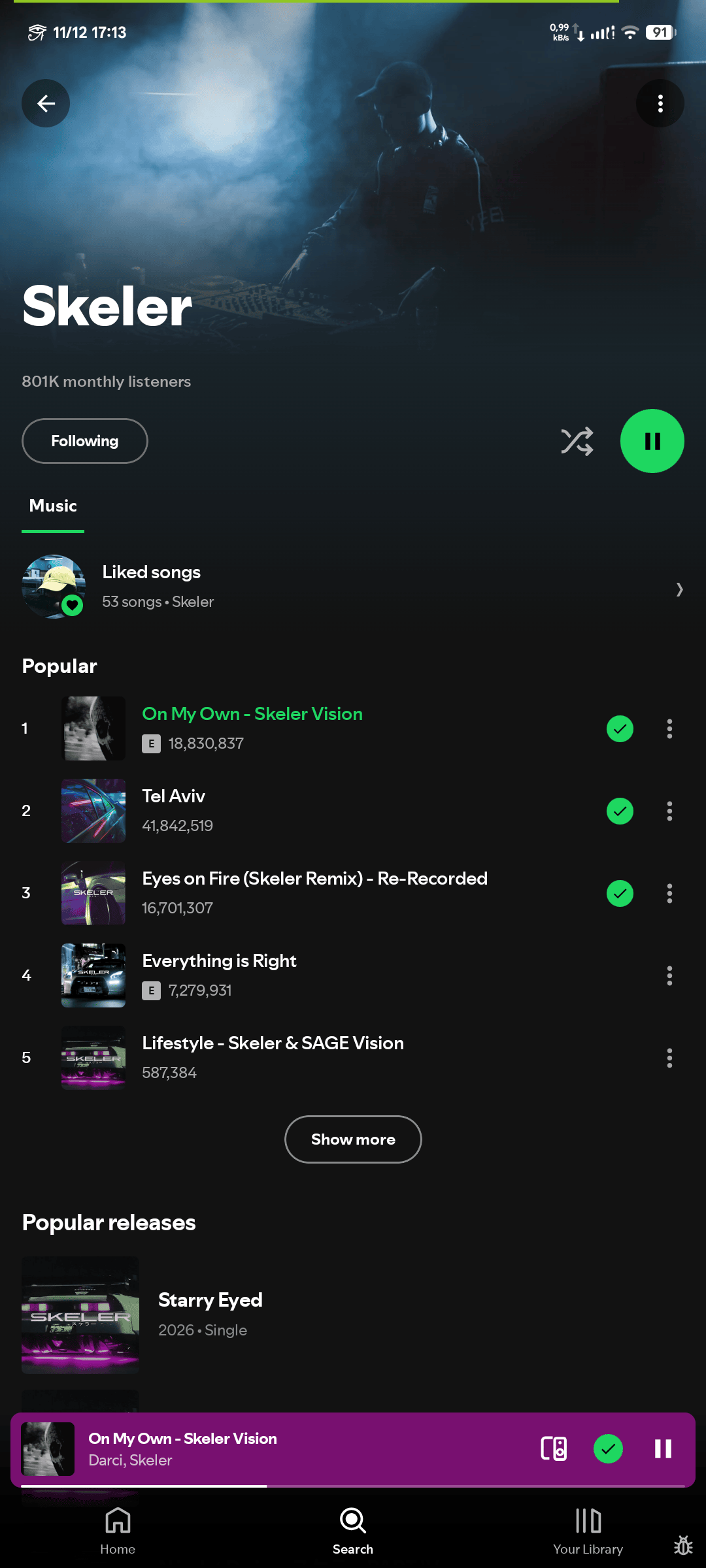
| Playlist | Artist | Up Next Queue |
|---|---|---|
 |
 |
 |
🔍 Discovery and Library
- Personalized home feed with filters (All / Music / Podcasts / Audiobooks)
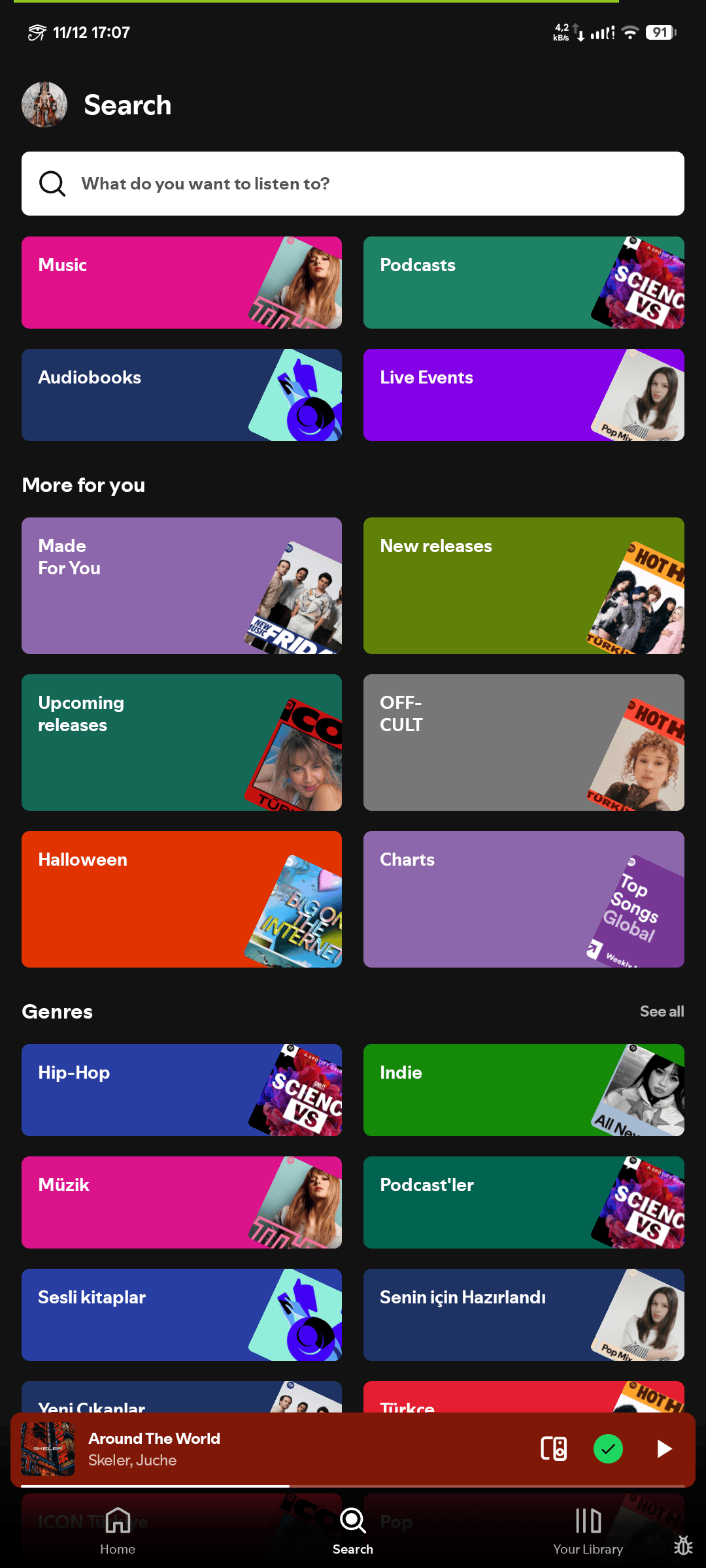
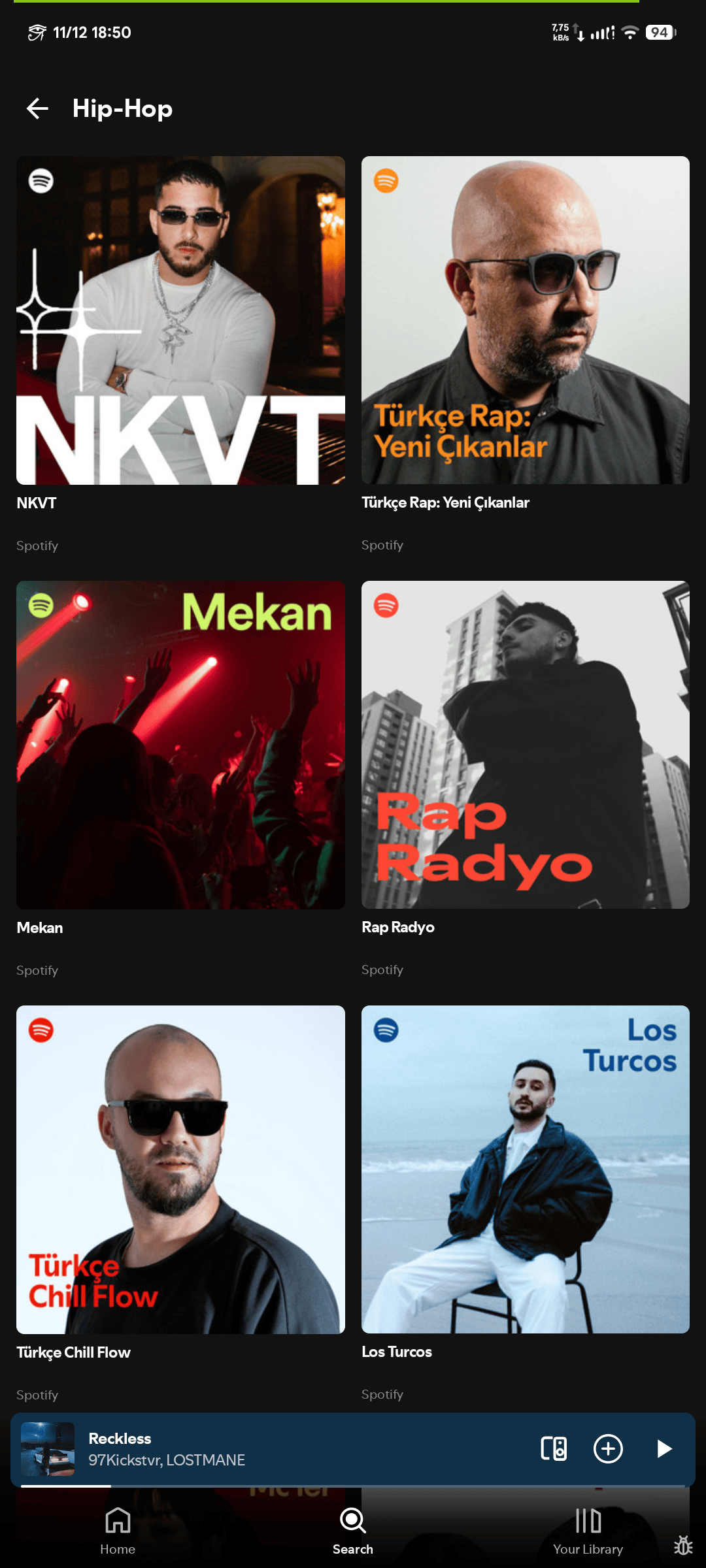
- Search across tracks, albums, artists, playlists and podcasts; genre categories with curated playlists
- Artist pages: biography, verified badge, discography, related artists
- Taste profile: exclude a track or artist from radios and mixes
- Canvas video loops with a battery saver toggle
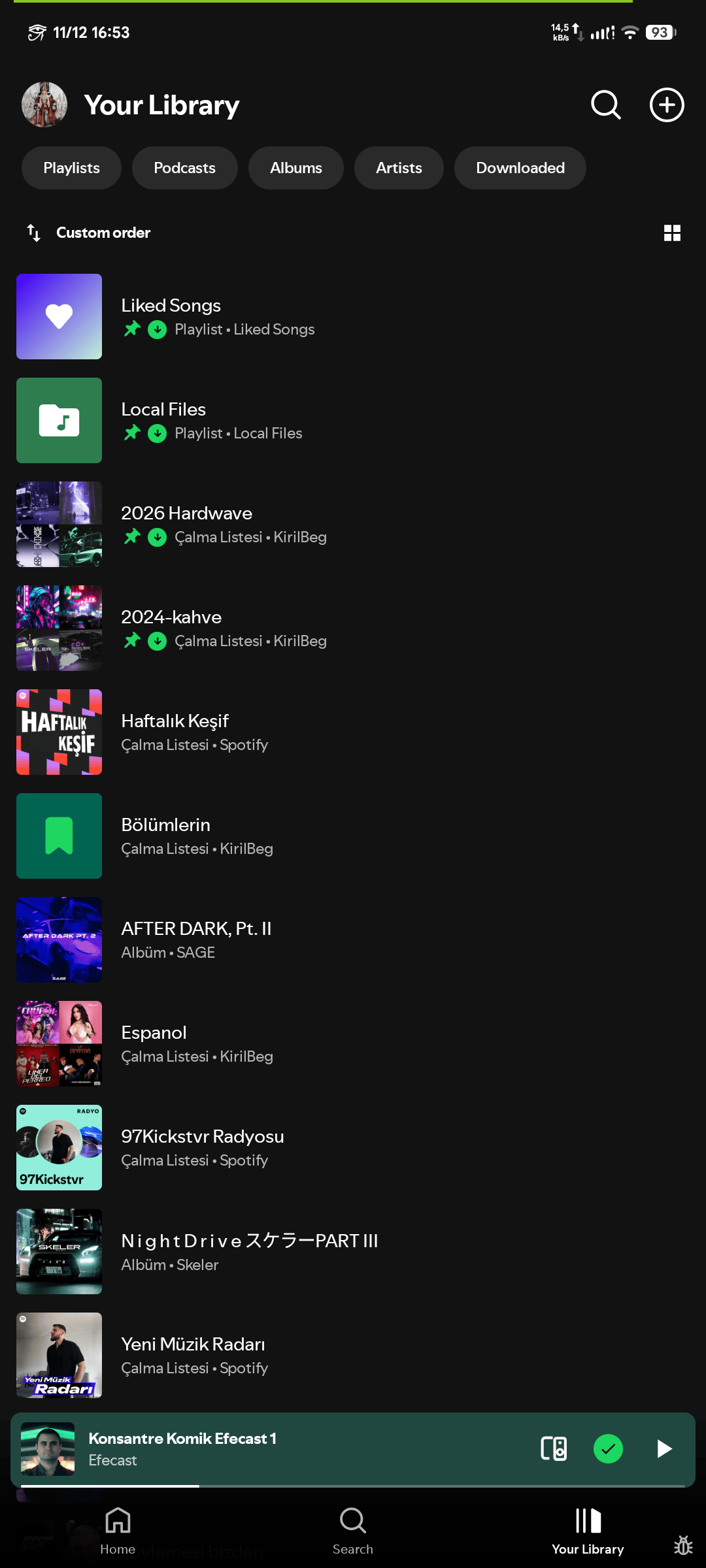
- One library for liked songs, saved albums, followed artists and playlists, with list or grid layout and custom order
| Search and Browse | Genre Page | Your Library |
|---|---|---|
 |
 |
 |
📝 Lyrics
The lyrics resolver tries sources in a fixed order:
flowchart LR
    A["Track"] --> B["Spotify color-lyrics by track id"]
    B -->|"miss"| C["LRCLIB (line-synced or plain)"]
    C -->|"miss and opt-in enabled"| D["NetEase / Genius"]
    B -->|"hit"| R["Full-screen view"]
    C -->|"hit"| R
    D -->|"hit"| R
- Spotify’s own color-lyrics come first: the same text, colors and credits as the official app.
- LRCLIB is the open fallback (line-synced or plain). A fallback result is kept only when title, artist and length match the track.
- NetEase and Genius are opt-in and off by default.
- Full-screen view with auto-scroll and tap-any-line to seek, optional line translation, background prefetch and a persistent lyrics cache.
🎙️ Podcasts and Audiobooks
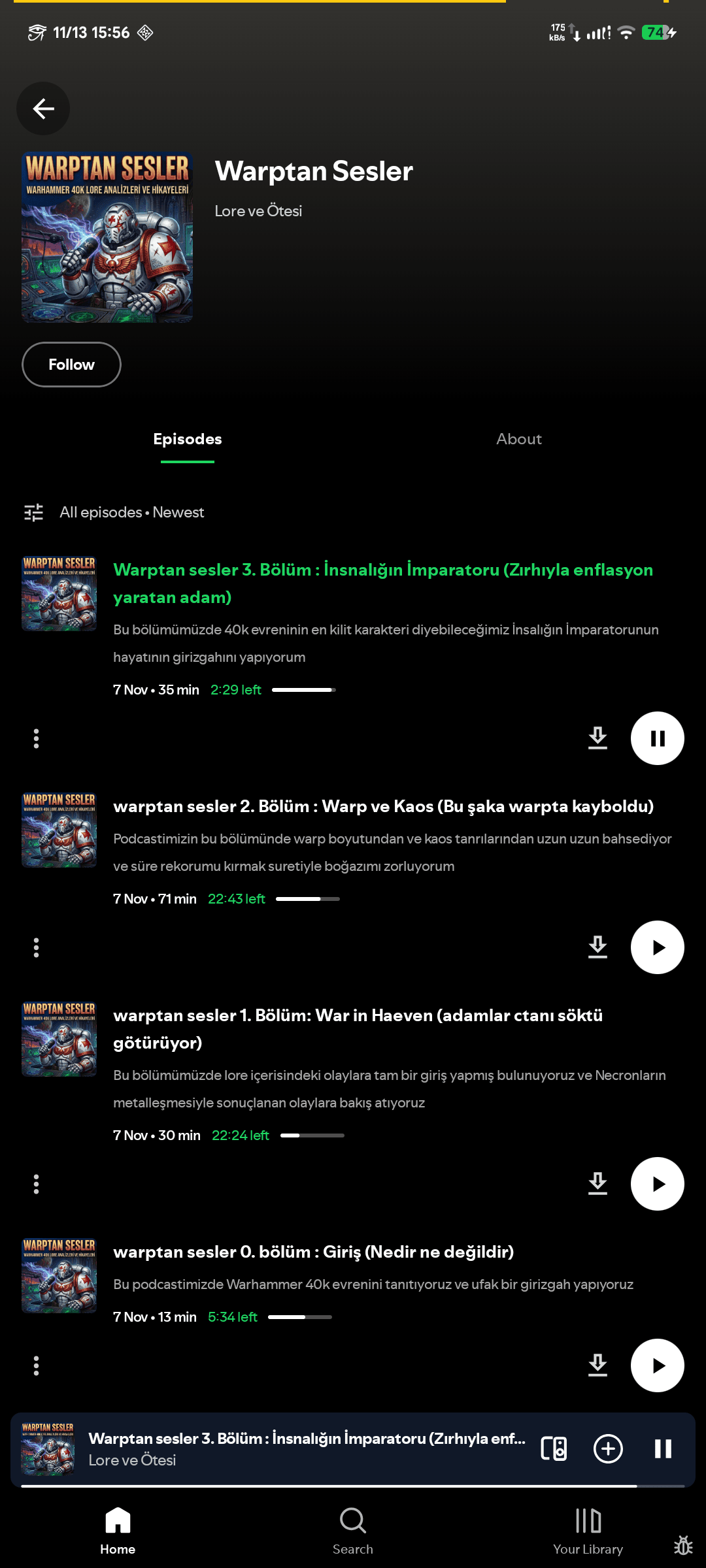
- Episode progress bars on show pages, the episode page and Home, matching the Spotify web player
- Playback speed (0.5x to 3.5x), skip buttons and sleep timer in the podcast player
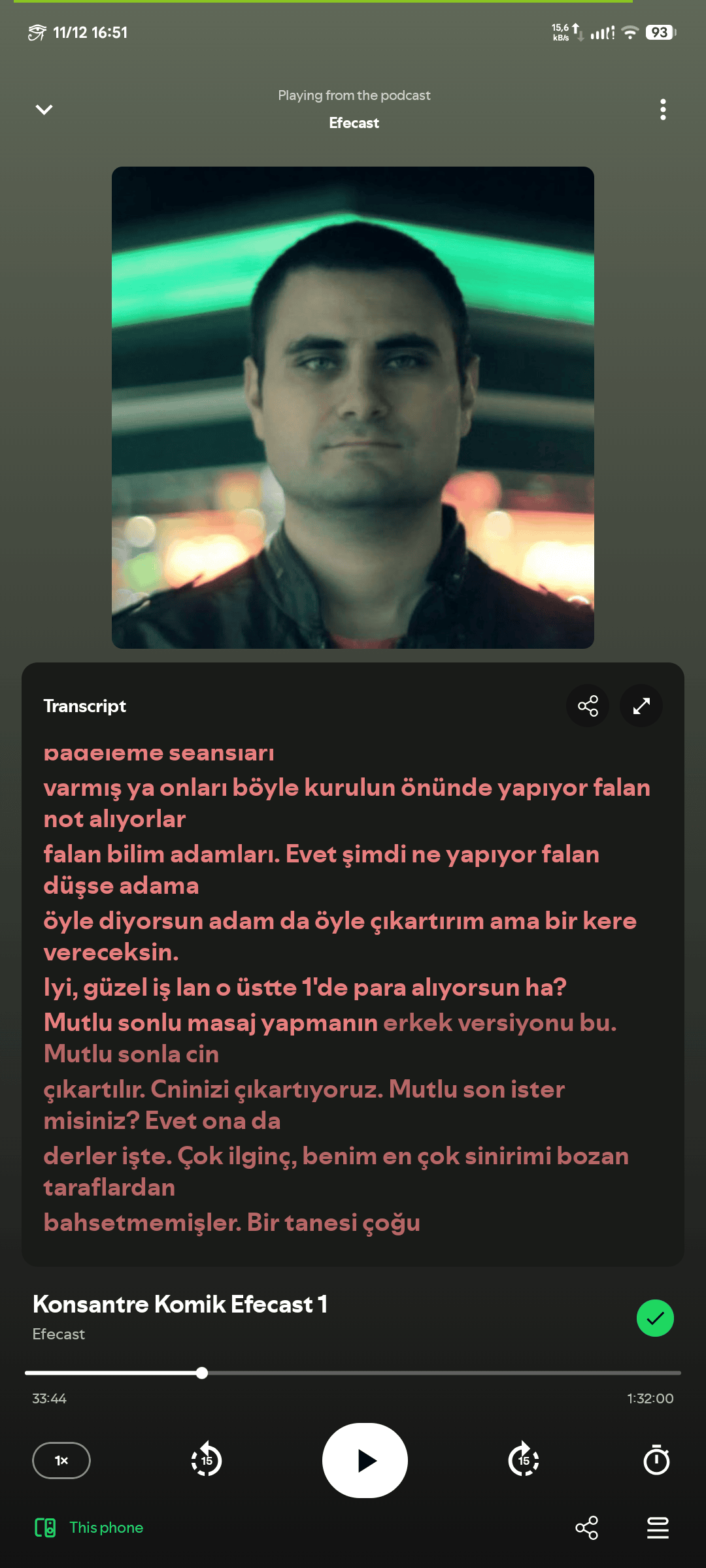
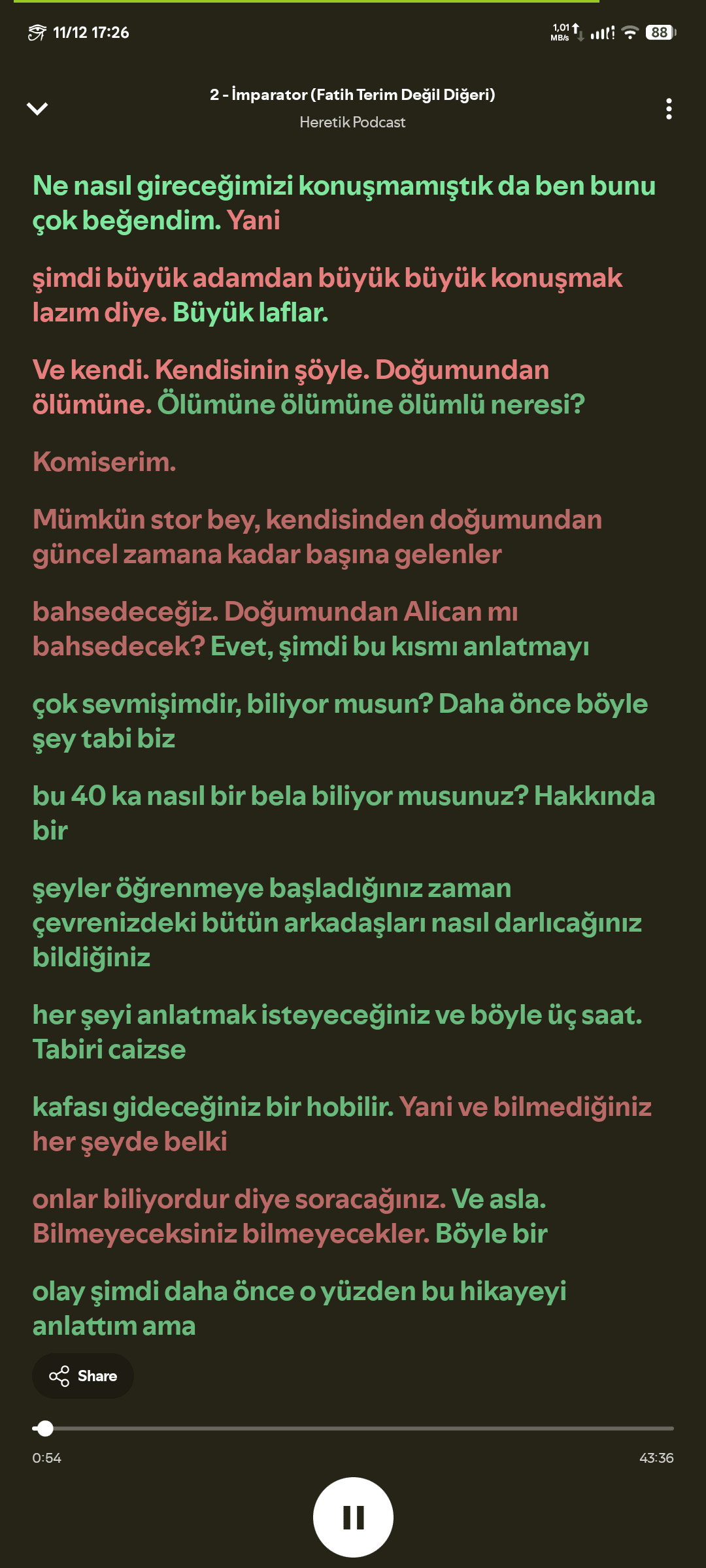
- Transcripts with a word-level preview and a full reader: speaker labels, playback highlighting, auto-follow and copy
| Podcast Page | Podcast Player | Synced Transcript |
|---|---|---|
 |
 |
 |
📻 Scrobbling and History
Three services are supported, each with its own switches and thresholds: Last.fm, ListenBrainz and Libre.fm. Now-playing updates and scrobbles are sent in batches; ListenBrainz now-playing entries are removed when a track is skipped; accepted/ignored answers are read from the API with a hint when the session is bad.
The qualifying rules differ per service:
| Service | Threshold |
|---|---|
| Last.fm | min(duration × percent, maxSeconds), percent clamped to 10–100, max clamped to 30–180 s |
| ListenBrainz | min(duration / 2, 4 min) |
Qualified listens go into a persistent outbox first, so they survive network failures and process restarts:
flowchart LR
    A["Playback state"] --> B{"Threshold reached?"}
    B -->|"Yes"| C["ScrobbleOutbox on disk"]
    C --> D["Batch send per service"]
    D -->|"Accepted"| E["Remove from outbox"]
    D -->|"Network error"| F["attempts + 1, nextAttemptAt backoff"]
    F --> C
Each entry has a deterministic id (service | account | track | startedAt), so re-enqueueing the same listen is a no-op.
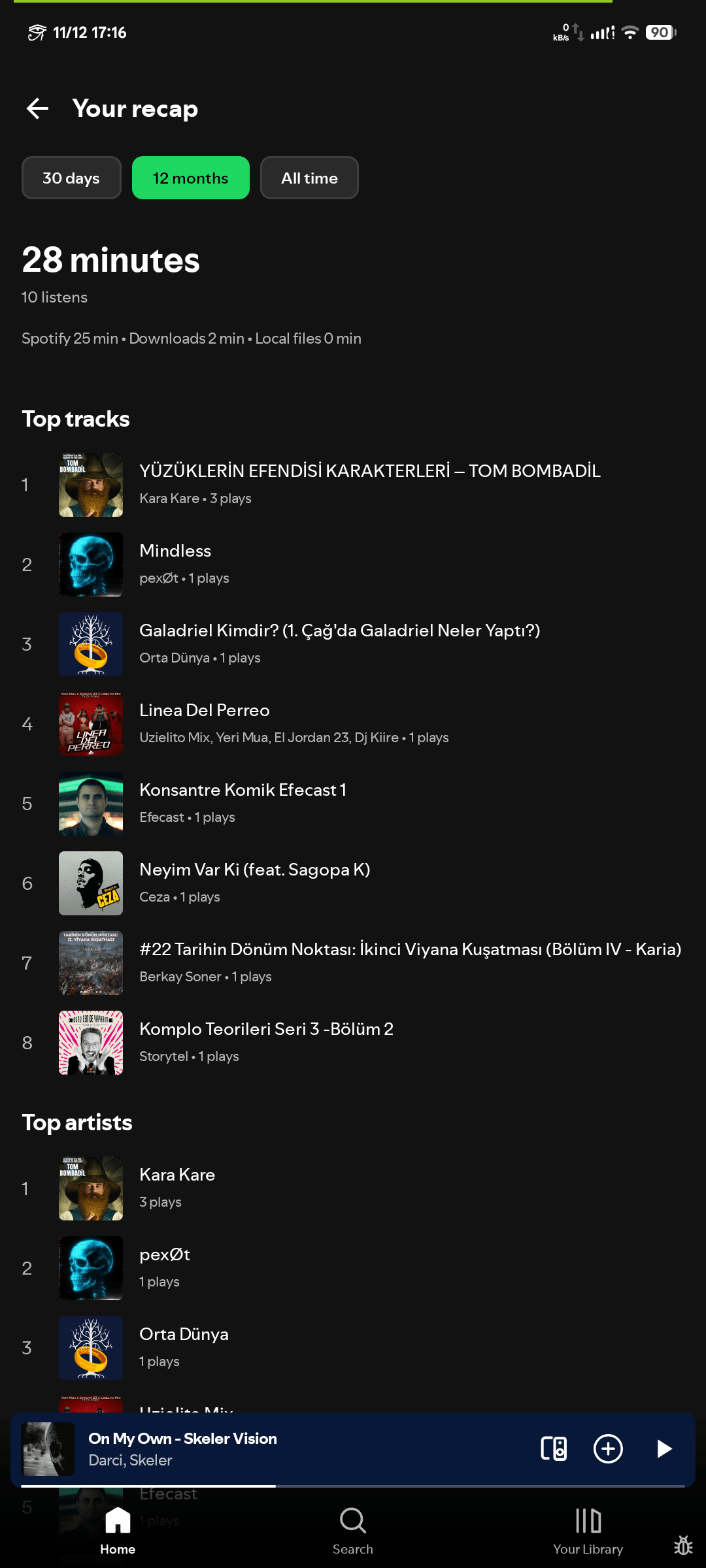
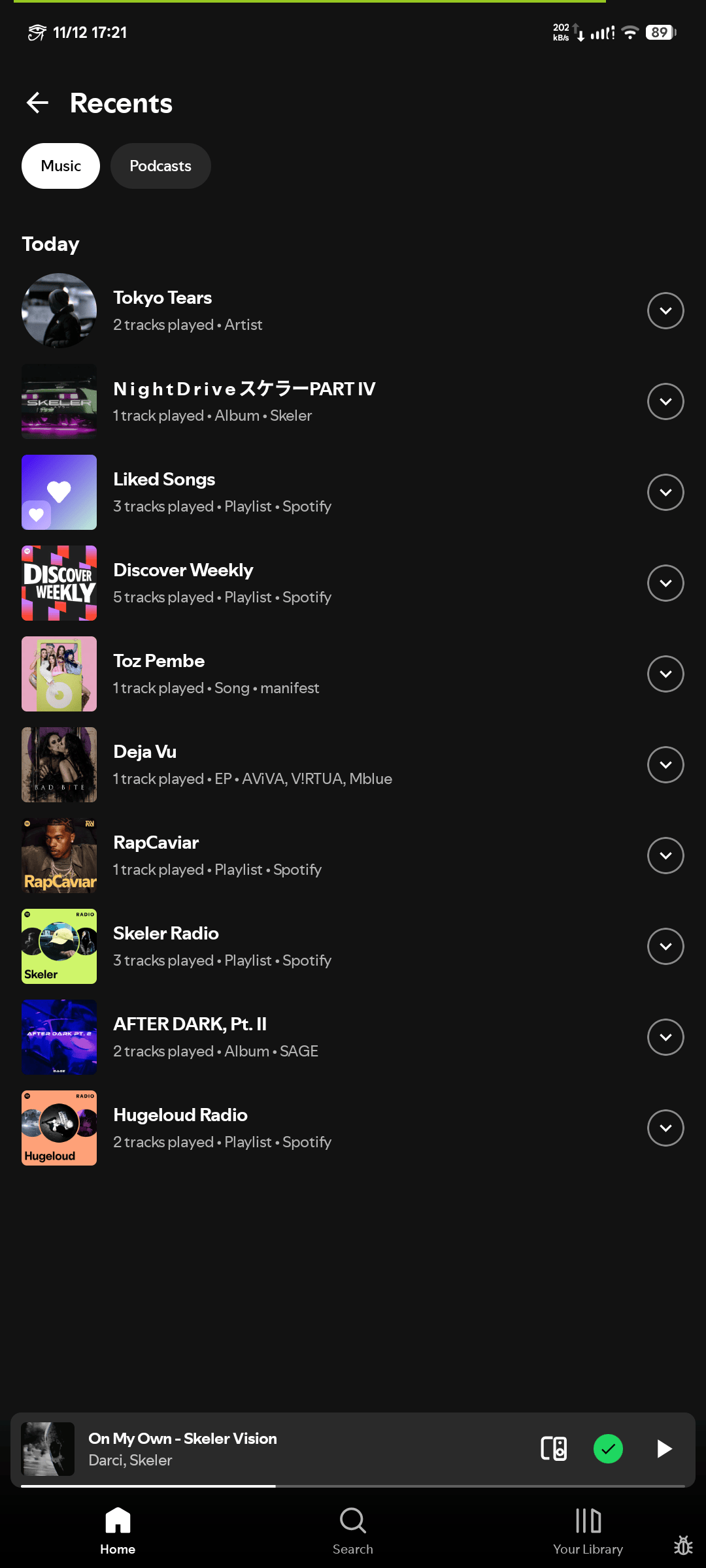
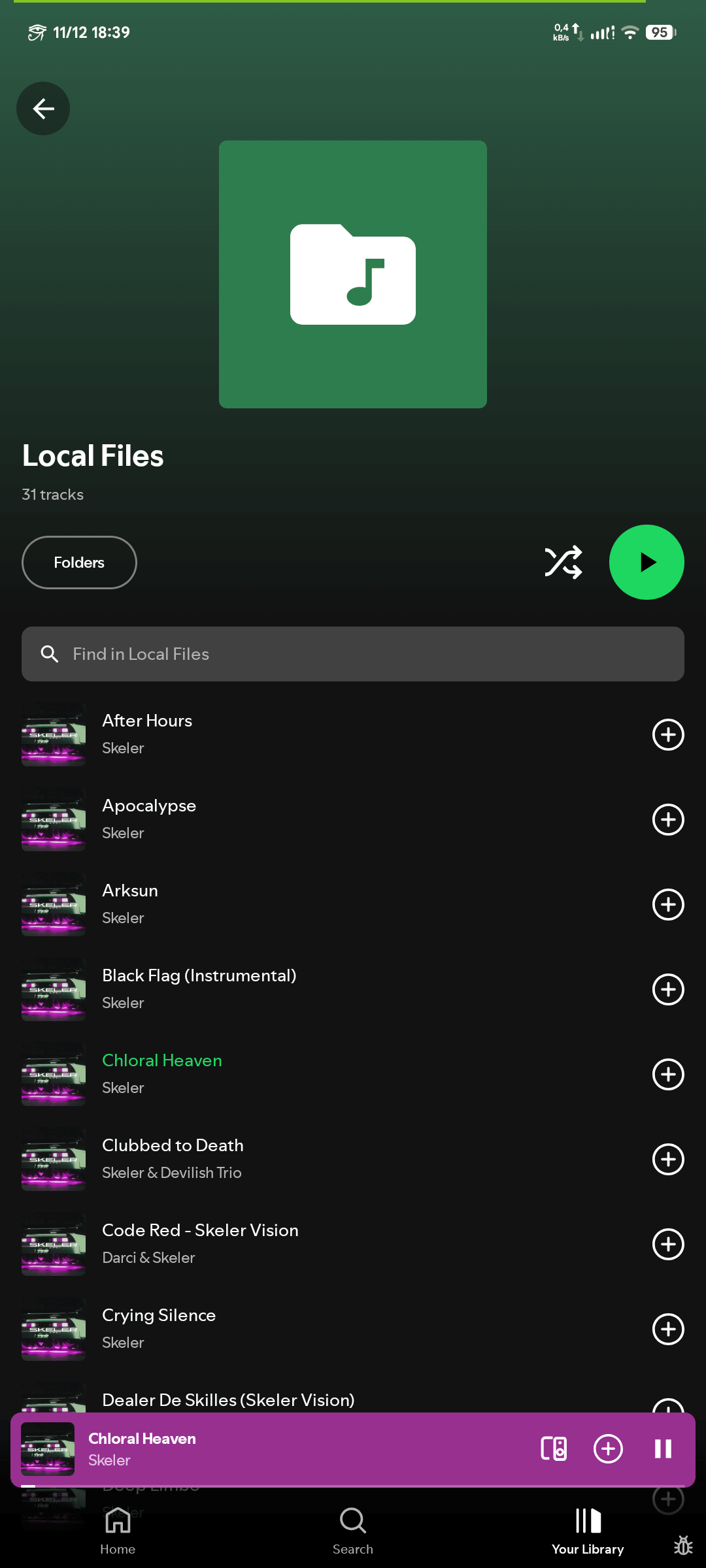
Alongside this, a Recents screen and a local Recap (30 days / 12 months / all time) are built from the app’s own listen history, with minutes split by source (Spotify, downloads, local files).
| Listening Stats | Recents and Recap | Local Files |
|---|---|---|
 |
 |
 |
🎨 Interface and Platform
- Material 3 with accent color and a pure-black AMOLED theme
- Solid or translucent bottom bars; list or grid library
- Portrait, landscape or auto-rotate; lyrics under the cover
- Android Auto through
MediaLibraryService - Built-in updater against GitLab releases
- Developer tools: engine status, log copy, player restart, recovery test
- 13 languages: English, Turkish, Azerbaijani, German, Spanish, French, Italian, Portuguese, Russian, Indonesian, Japanese, Chinese (Simplified), Hindi
💾 Offline: Downloads, Cache and Data Saver
Lossless Downloads
Downloads do not re-record or re-encode anything. A request is resolved to the same recording on a lossless catalog, and the file is stored as served.
| Setting | Options |
|---|---|
| Download quality | Off, small AAC, FLAC 16-bit, FLAC 24-bit, or ask each time |
| Match rule | ISRC first; otherwise title + artist with duration within 3 s |
| Sources | SpotiFLAC resolves through TIDAL (DASH), Qobuz and Amazon |
flowchart LR
    A["Spotify metadata + ISRC"] --> B["SpotiFLAC resolver"]
    B --> C{"ISRC match?"}
    C -->|"Yes"| D["Candidate stream"]
    C -->|"No"| E{"Title + artist match, duration within 3 s?"}
    E -->|"Yes"| D
    E -->|"No"| X["Unavailable"]
    D --> F{"DASH manifest?"}
    F -->|"Yes"| G["DashFlacRemux to a single .flac"]
    F -->|"No"| H["Single-file FLAC"]
    G --> I["Encrypted offline store"]
    H --> I
    I --> J["Verified, then marked ready"]
DASH without ffmpeg. Hi-res FLAC arrives as a segmented DASH manifest. The segments are fragmented MP4 carrying raw FLAC frames, so the app builds a real .flac file directly:
- Take STREAMINFO from the init segment’s
dfLabox. - Concatenate every media segment’s
mdatpayload (the FLAC frames), downloading a few segments in parallel. - Write
fLaC, the STREAMINFO metadata block, then the frames.
Encrypted Storage
Downloaded files are not plain audio on disk. They use AES-CTR with a random per-file key, stored wrapped by an Android Keystore key that never leaves the device (nor its secure hardware). The file layout is MSE1, a 16-byte IV, then the ciphertext. CTR mode keeps random access cheap, so seeking inside an encrypted file works without decrypting from the start. Copied out of the app, a file is noise.
Playback Cache and Preloading
- Playback cache with a storage cap: 500 MB to 5 GB, or unlimited
PlaybackCacheManageris a serial, latest-queue-wins preloader: requests go through a conflated channel, so a fast-changing queue never piles up cache I/O, and queue changes never do disk work on the caller threadQueuePreloaderwatches the active queue and caches the current and upcoming tracks proactively
Data Saver
On mobile data or any metered network (never on Wi-Fi), the Data Saver switch makes the app behave as if offline: every connection is refused (network checks, the OkHttp interceptor, WebView and Glide guards), the hidden Spotify player is shut down, and only downloads and local files play. Back on Wi-Fi, the player is rebuilt.
🧩 Engineering Notes
Local files take over cleanly. LocalPlayer (ExoPlayer) pauses the Spotify engine while it is active, and SongPlayer routes controls (player, mini player, notification) to whichever engine is current. Playing anything from Spotify again hands control back.
SongPlayer is a facade. Screens call playSong, pause, seekTo and similar methods; every command goes to the Web Player through the API and state comes back from flows. Next/previous/shuffle/repeat remain Spotify’s.
Rate-limit awareness. The host tracks audio-licence 429 answers in a sliding window. After a burst of them it pauses further attempts for a growing interval and exposes licenseLimitedUntil to the app, instead of feeding a retry storm that makes things worse.
Diagnosing refusals. Some free accounts get 402 COMMAND_FAILED on Connect commands. A dedicated diagnostic summary groups answers per route (latency, response headers, error type, whether a success on another route really started audio within 10 s), so one report settles what used to take digging through a log. It holds no ids, tokens or addresses.
Compose performance work is measurement-driven. The repository contains a Compose compiler audit of 231 composables and 3,494 composable arguments, plus focused fixes: list keys, content types on lazy rows, scroll-phase reads moved out of composition, memoized library assembly, lifecycle-aware collection. One concrete case: the fast-scroll thumb read firstVisibleItemIndex in composition and recomposed on every crossed item; moving the read into the offset { } lambda confines scroll frames to the layout phase. The reports are explicit about limits: no runtime gain is claimed without measurements. The size report lists the universal release APK at about 16.9 MB (arm64-v8a about 14.6 MB).
🛡️ Privacy and Crash Reports
Spotufi is distributed outside Google Play, so nobody is told when it crashes on a given phone. To fix that, release builds can send crash reports through measure.sh (open source, Apache-2.0).
- On by default, explained once on the setup screen after sign-in; Settings → Send crash reports turns it off, which stops the SDK entirely
- Sent: crashes (Kotlin/Java and native), ANRs, survived errors that indicate real faults (Web Player renderer dying, Widevine missing), device model, Android and app version, locale, recent screens and taps
- Crash screenshots are masked on the phone according to the level configured in the Measure dashboard (recommended: hide text and inputs, keep clickable controls)
- Never sent: Spotify account, password, tokens, library, playlists, listening history; network URLs are not collected
- Debug builds and forks without credentials contain no reporting at all
🚀 Installation
| Source | Notes |
|---|---|
| Obtainium | Tracks GitLab releases and updates automatically |
| GitLab Releases | Manual download |
Release APKs are split per ABI (arm64-v8a, armeabi-v7a, x86_64, x86) with a universal build alongside, plus SHA-256 checksums. Android 10 (API 29) or newer is required. After installation the app can update itself: the update checker queries GitLab releases at most once every three hours, shows the release notes taken from the matching CHANGELOG.md section, then downloads and installs the signed APK.
Release Pipeline
flowchart LR
    T["Tag vX.Y.Z"] --> K["Decode keystore"]
    K --> V["Verify credentials"]
    V --> B["assembleRelease: R8 + ABI splits"]
    B --> U["APKs + SHA-256 to Generic Package Registry"]
    U --> R["GitLab Release with CHANGELOG section"]
    R --> A["In-app UpdateChecker"]
    R --> O["Obtainium"]
Build from Source
Prerequisites: JDK 21 LTS and Android SDK 37.
1
2
3
4
5
6
7
8
9
git clone https://gitlab.com/fr0stb1rd/spotufi.git
cd spotufi/base
./gradlew assembleDebug --warning-mode all

# release build
./gradlew :app:assembleRelease --no-daemon --warning-mode all

# unit tests
./gradlew testDebugUnitTest :api:test :api-spotify:test :host-cdp:test --warning-mode all
Debug APKs land in base/app/build/outputs/apk/debug/. All dependency and toolchain versions live in base/gradle/libs.versions.toml and the Gradle wrapper. The project rules also forbid @Suppress / @SuppressLint (warnings must be fixed, not silenced) and require semantic versioning.
⚖️ Limits and Trade-offs
The engine drives an official web page through its internal services. That is what makes the stream authentic, but it also ties the project to the Web Player’s structure. A change on Spotify’s side can break the bridge or the GraphQL operation hashes until they are updated.
- Streaming quality is the Web Player’s, not an arbitrary bitrate setting
- Jam: Spotify answers
RESTRICTEDto start a Jam from a free account; join and the rest are wired - Private session is not supported by the Web Player, and friend activity returns an empty list
- Disallowed or region-locked tracks trigger the fallback engine, which is a different source by definition
- Spotufi is not affiliated with or endorsed by Spotify AB. The project is for educational purposes, and users are encouraged to support artists through Spotify Premium and official purchases
🙏 Credits and License
Spotufi builds on several open-source projects: Spotifusion, SpotiDuck, Myspoti / Spotui (Web Player WebView bridge architecture), BitChord and NewPipeExtractor (fallback path), SpotiFLAC (lossless resolving), LRCLIB (synced lyrics), Measure (crash reporting), SimpMusic (crossfade / audio filters), Metrolist, Meld, Neptune and the Spotui forks. Full notices are in THIRD_PARTY_NOTICES.md.
Spotufi is free software under the GNU GPL v3 or later.
Source, issues and releases: gitlab.com/fr0stb1rd/spotufi